A dashboard for the screen you already own

Show weather, calendar, news and security cameras on an Android TV, Fire TV or Android tablet.
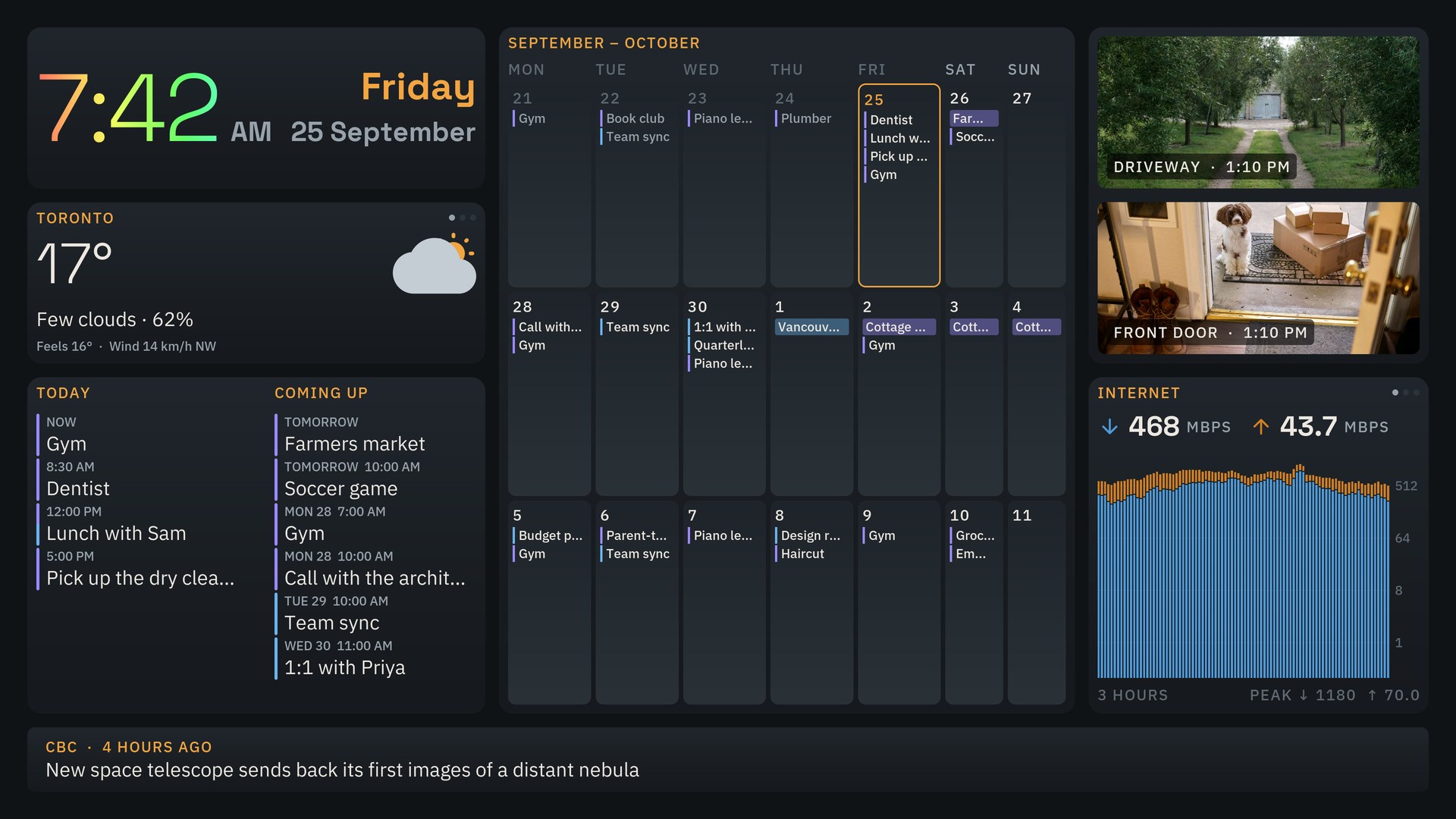
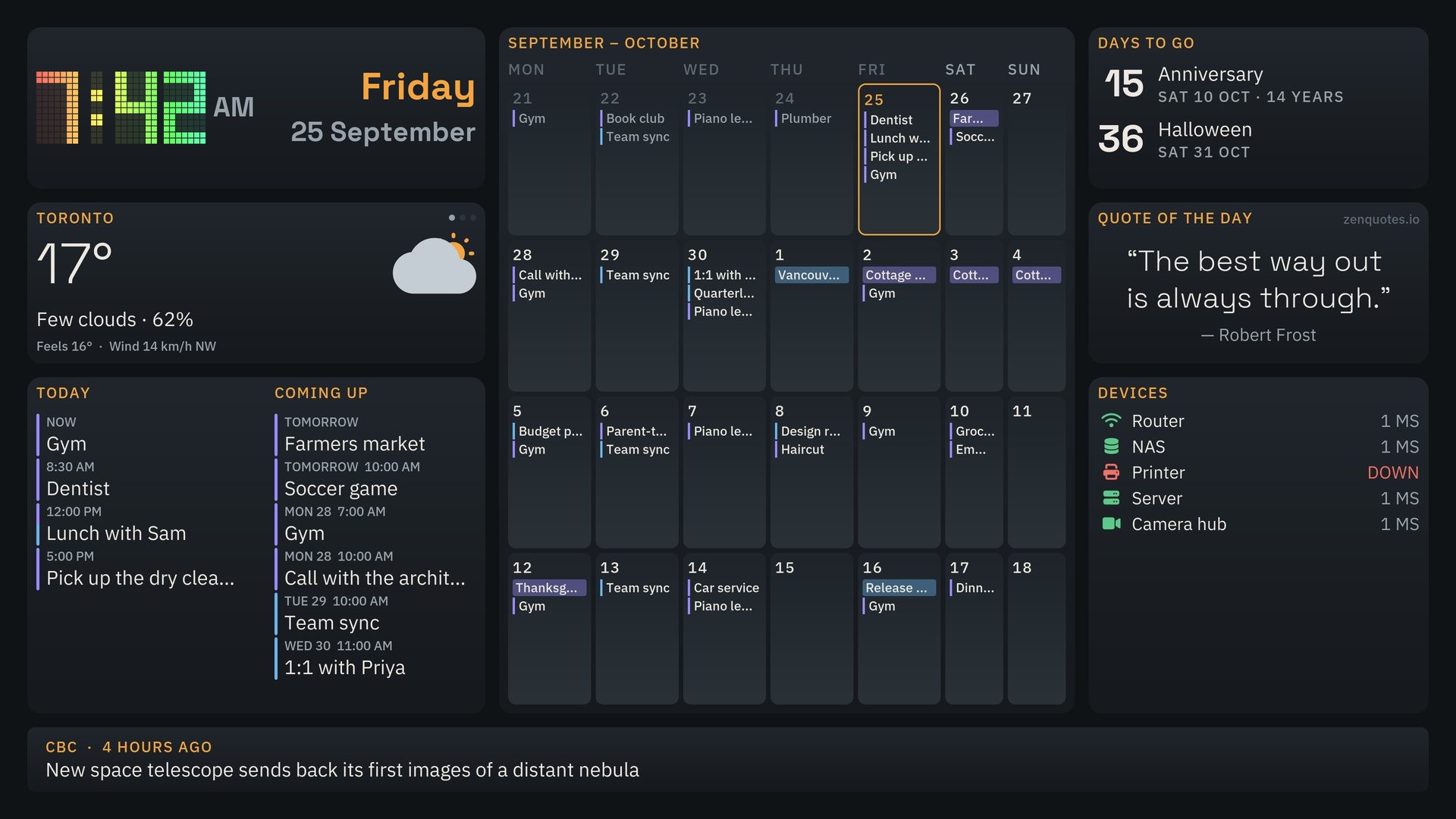
QRK Board on a landscape TV in the dark theme: clock, weather, calendar, cameras, devices and news.
Runs on

Screenshots

Pick a layout, an orientation and a theme.

QRK Board, everything layout, landscape, dark theme

Set it up to suit your space

Choose a starting layout, add the tiles you need, and adjust their position and size in the visual editor.
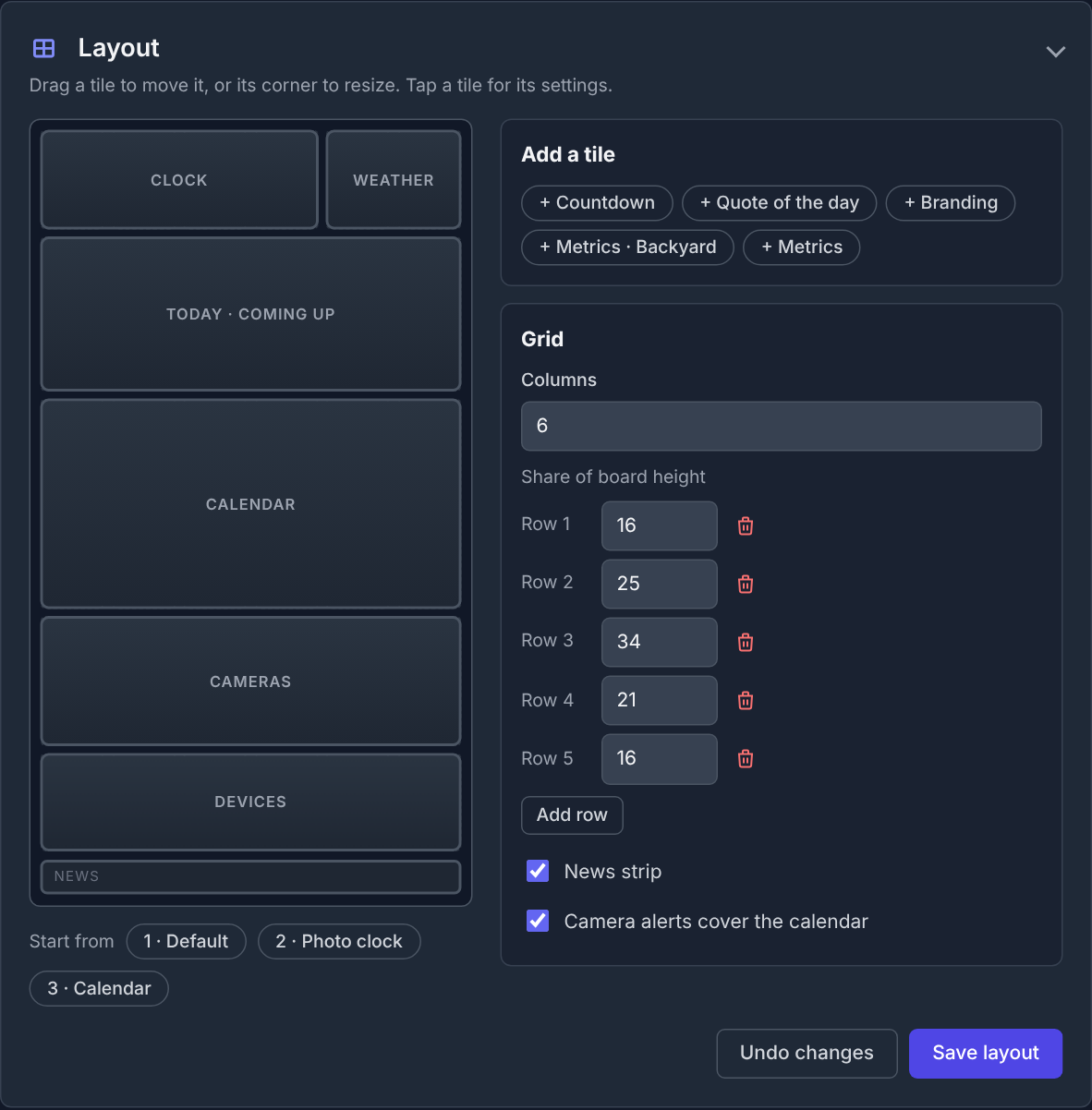
QRK Board's layout editor with a visual tile layout, add-tile options, grid controls and save-layout button.
1

Pick a starting layout

Choose a starting layout and add the widgets you want.

2

Drag and resize

Move tiles and change their size to fit your screen.

3

Add more later

Start with a few tiles and add others whenever you like.

See example screens
For home · Free

A family board for the kitchen TV

Use a TV, tablet or spare screen as the place everyone checks before heading out the door.
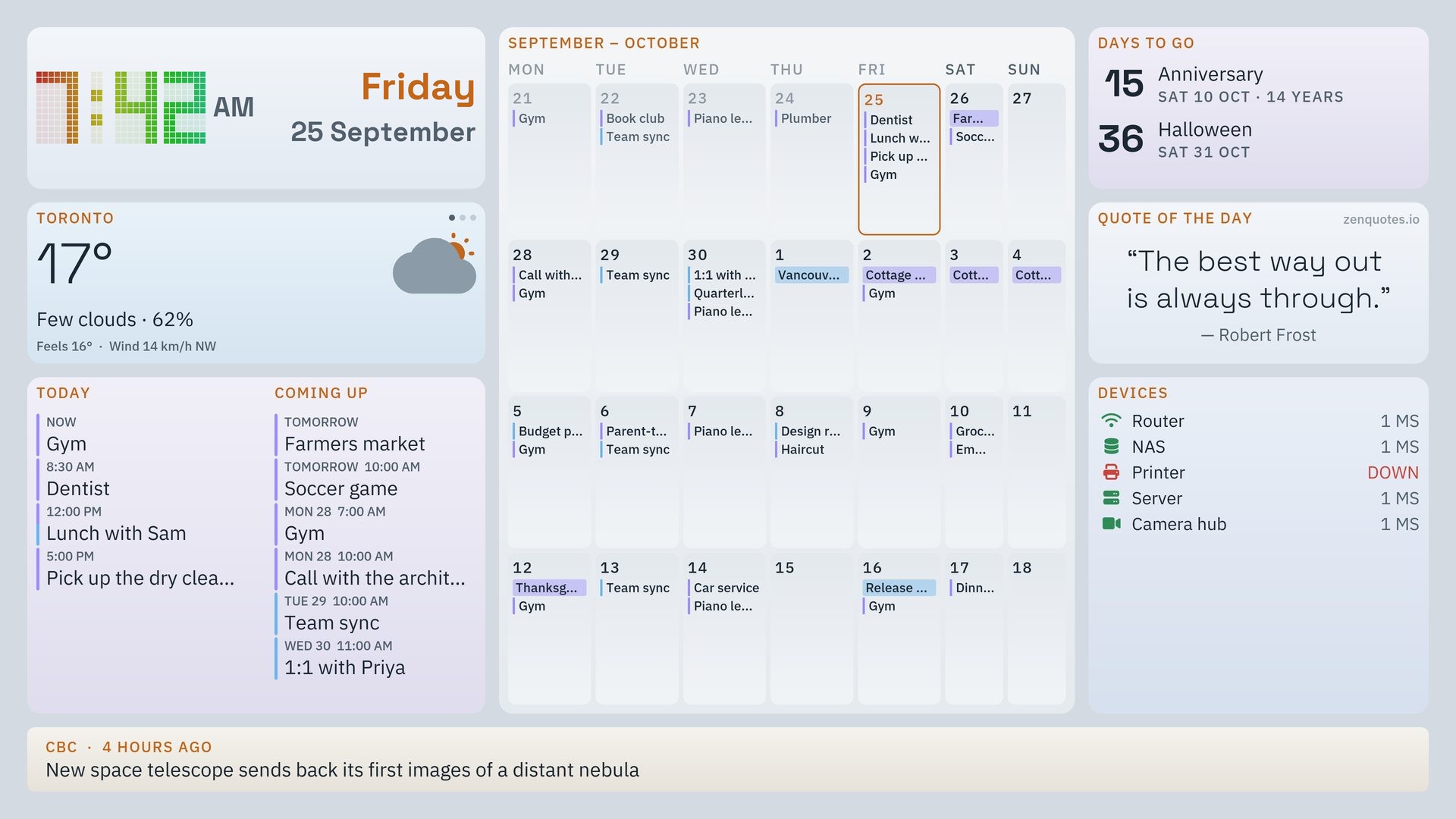
  • Family calendarToday’s plans and what’s coming up.
  • Weather, news and quotesThe forecast, headlines and a quote of the day.
  • Countdowns and device statusCount down to a big day or check if your printer is online.
Get the free dashboard
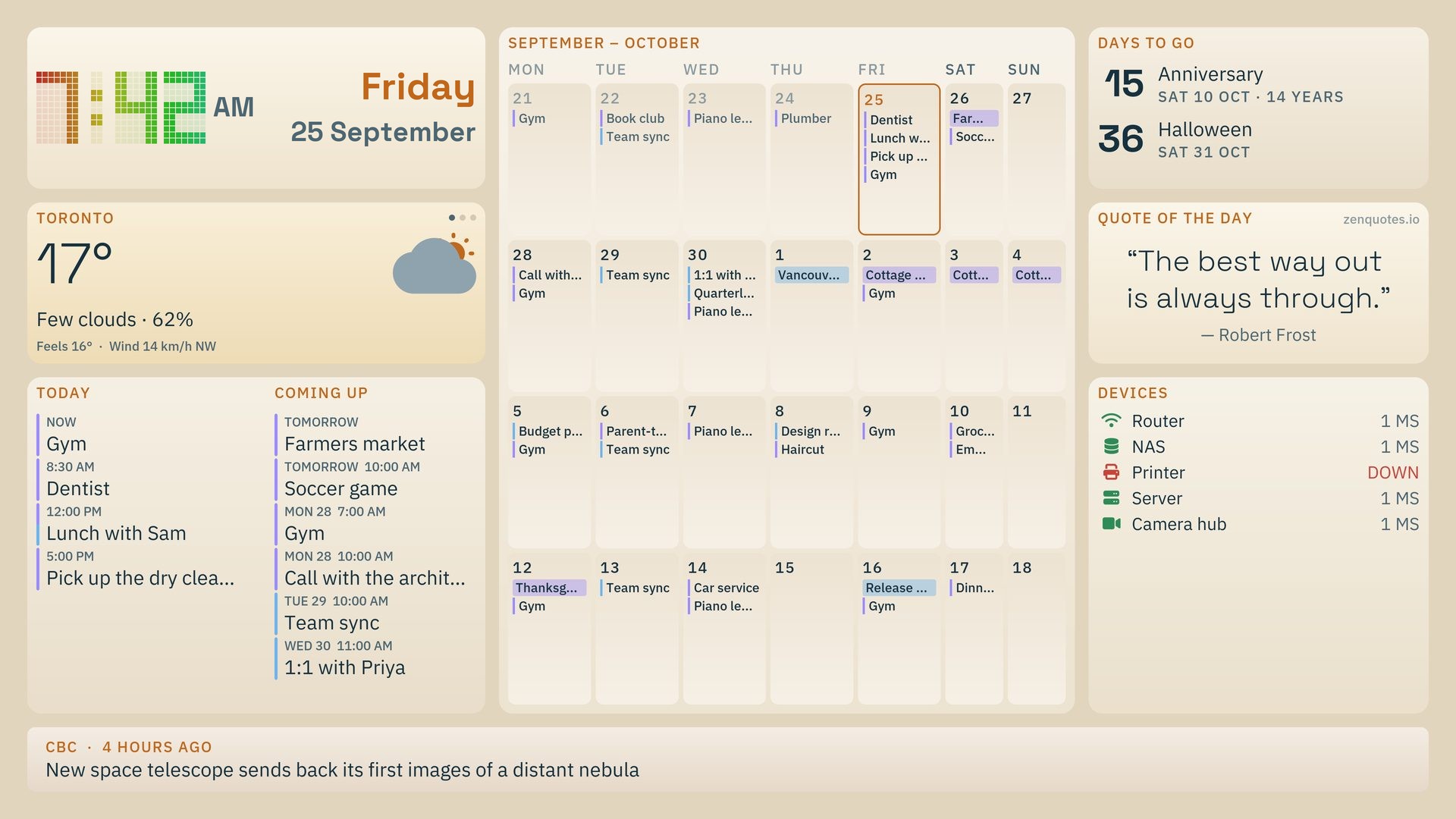
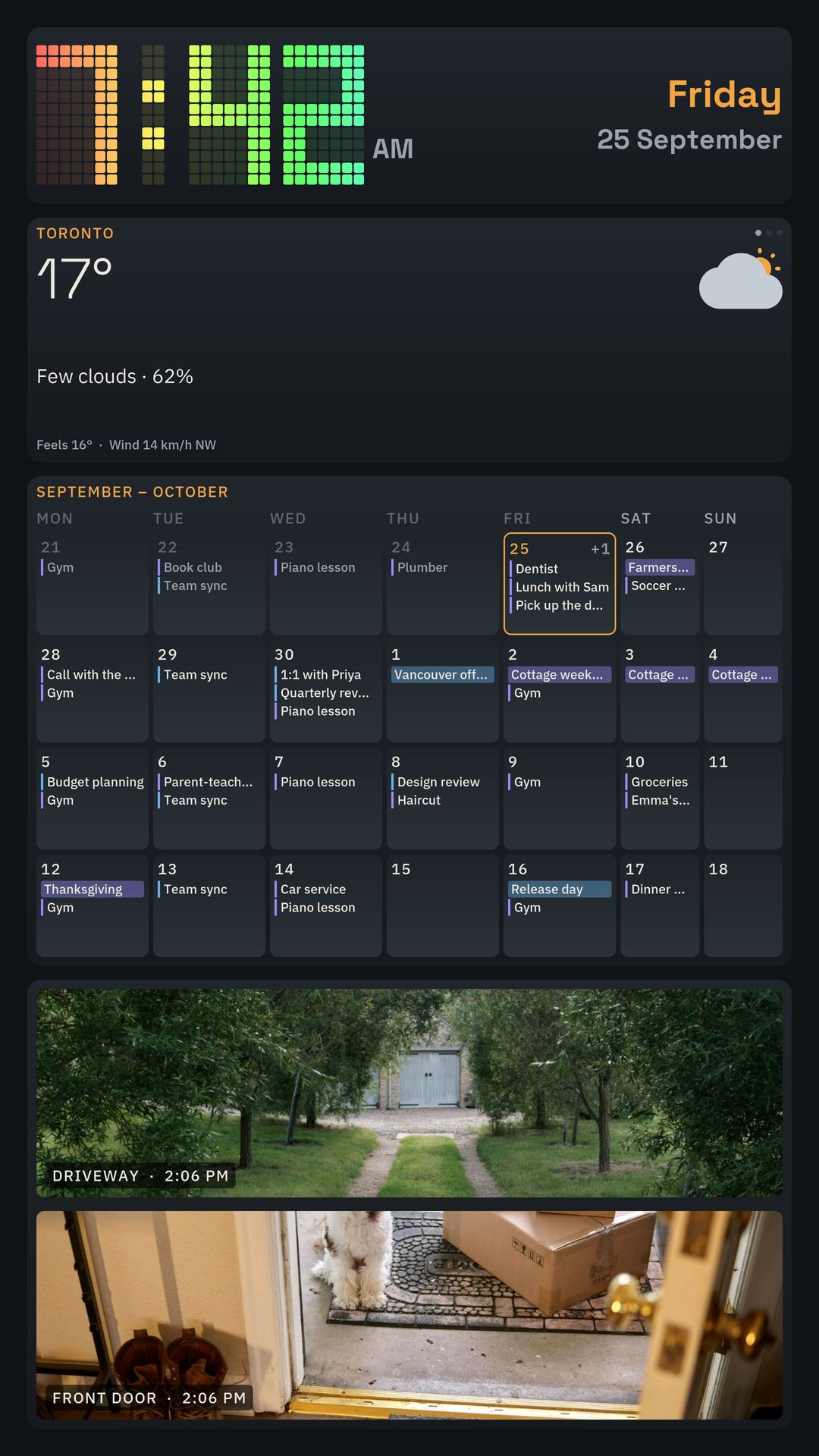
A home board: clock, weather, today and coming up, a month calendar, days to go, quote of the day and device status.
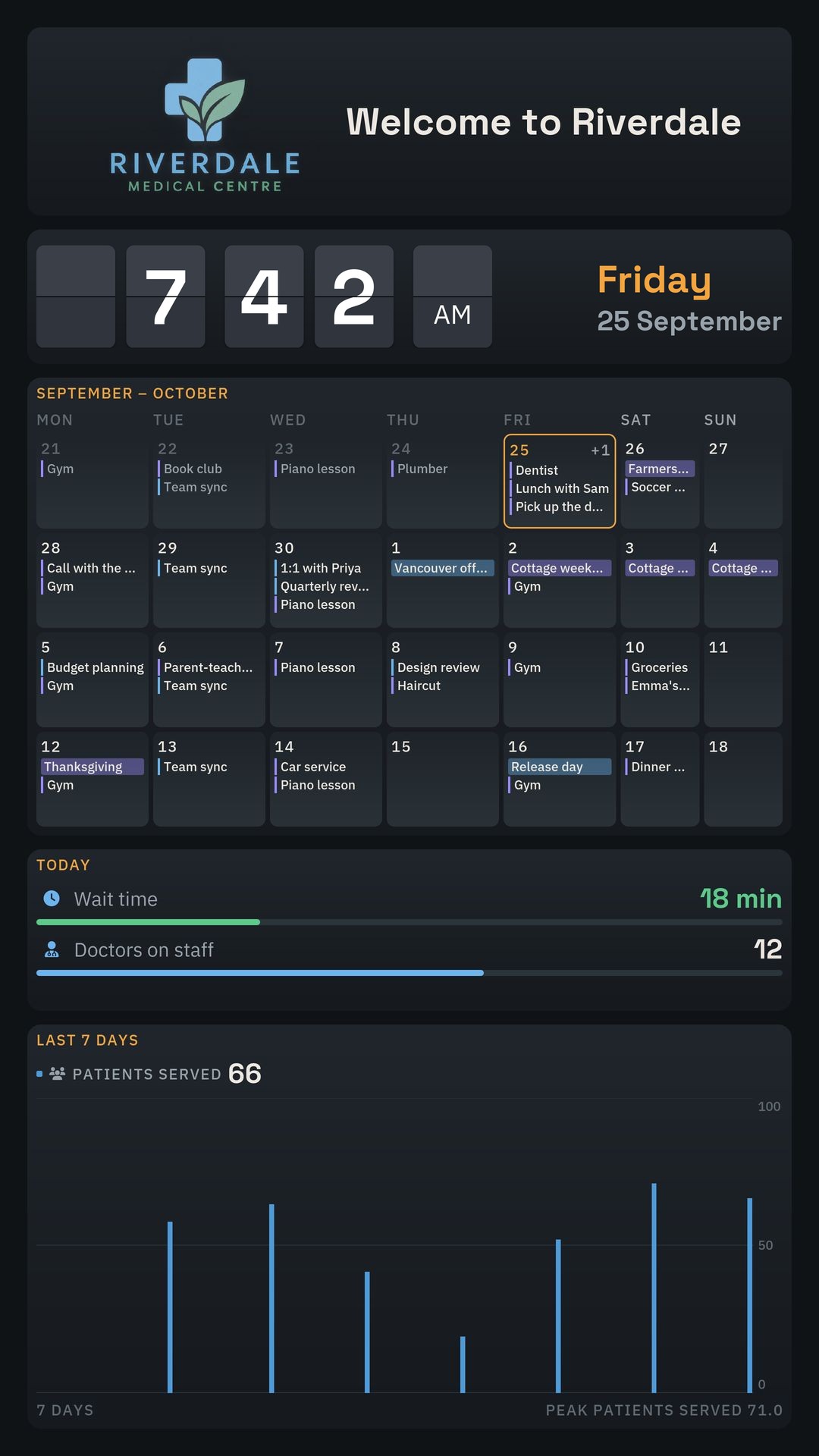
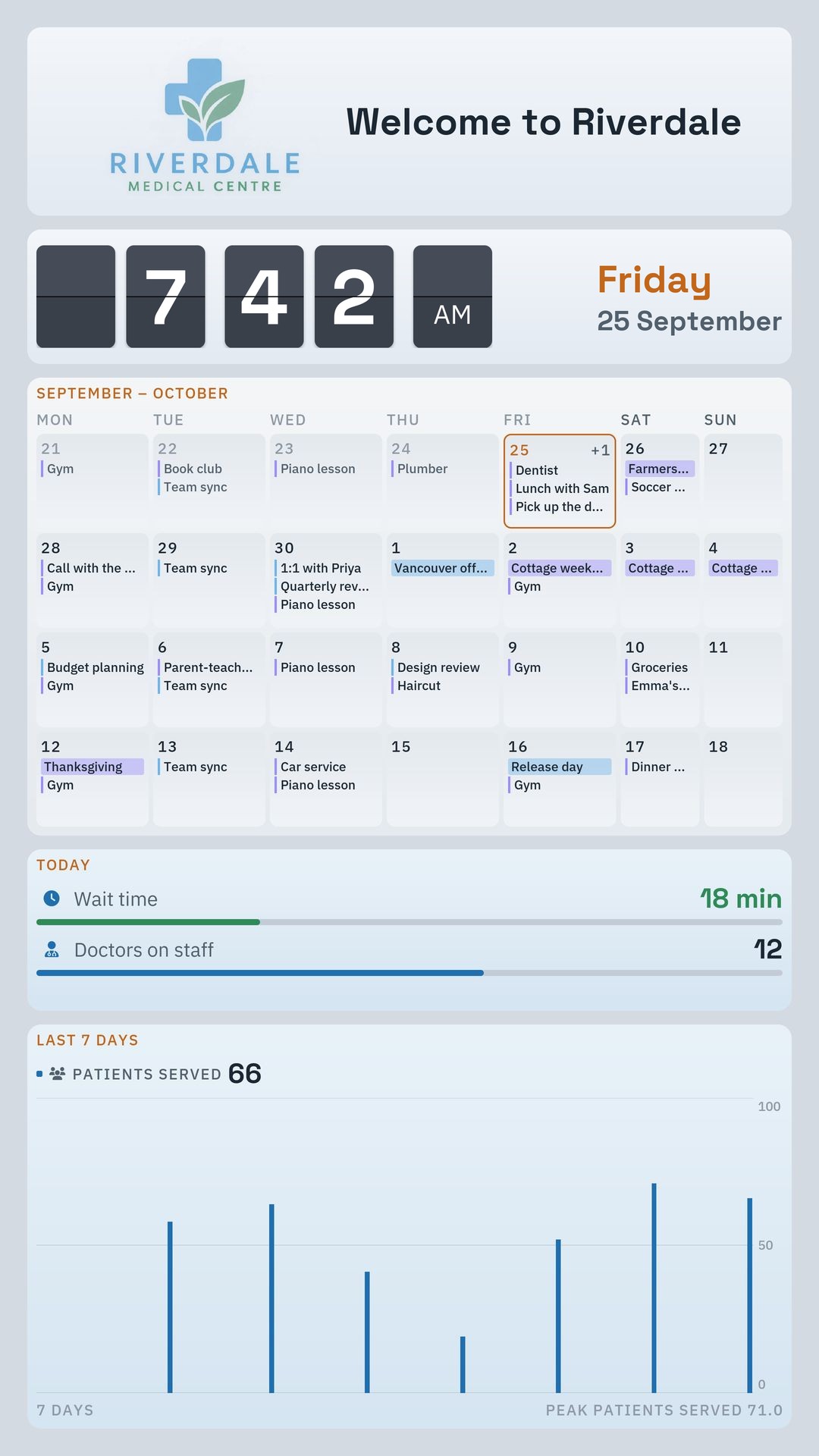
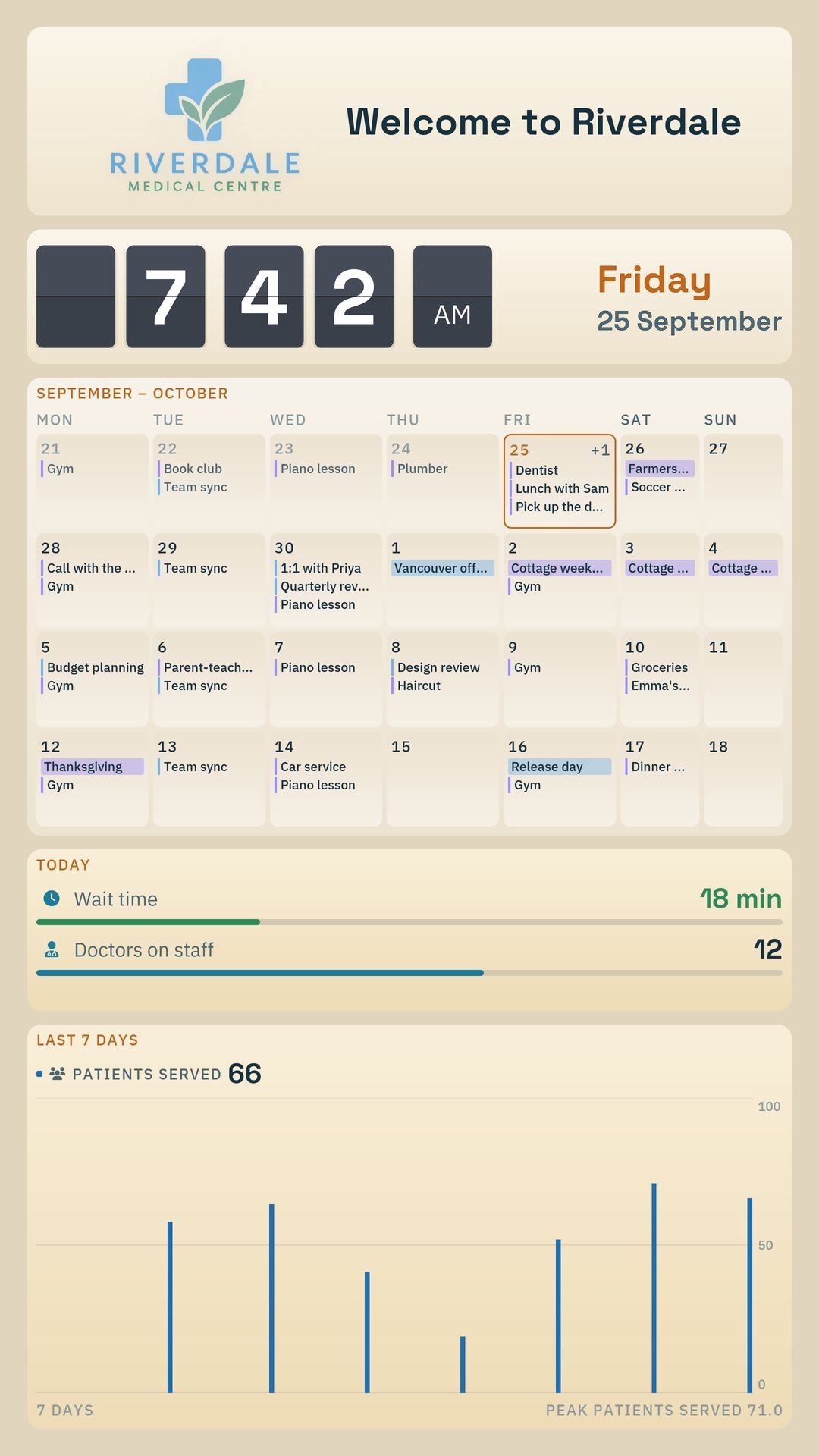
A portrait clinic board: logo and welcome, clock, a month calendar, wait time and doctors on staff, and patients served over the past week.
For business · Pro

A shared screen for your team

Show sales targets, wait times, quality metrics and more where everyone can see them.
  • Key business metricsType in a number or pull it from an API.
  • Your logo and brandingPut your own branding on the board.
  • Graphs and gaugesChart sales, service health, network stats and more.
REST APIGraphQLInfluxDB
See Pro
Cameras

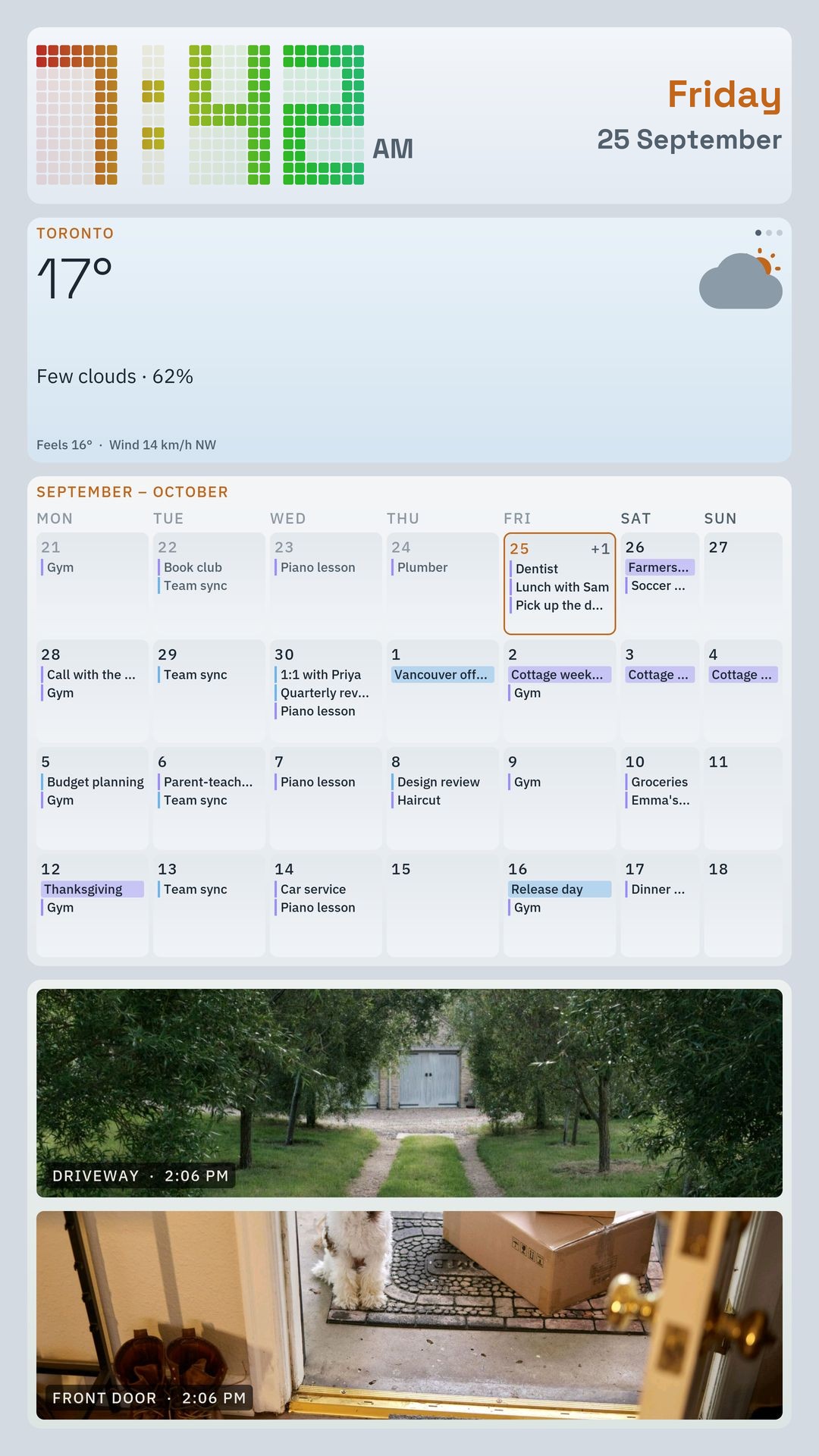
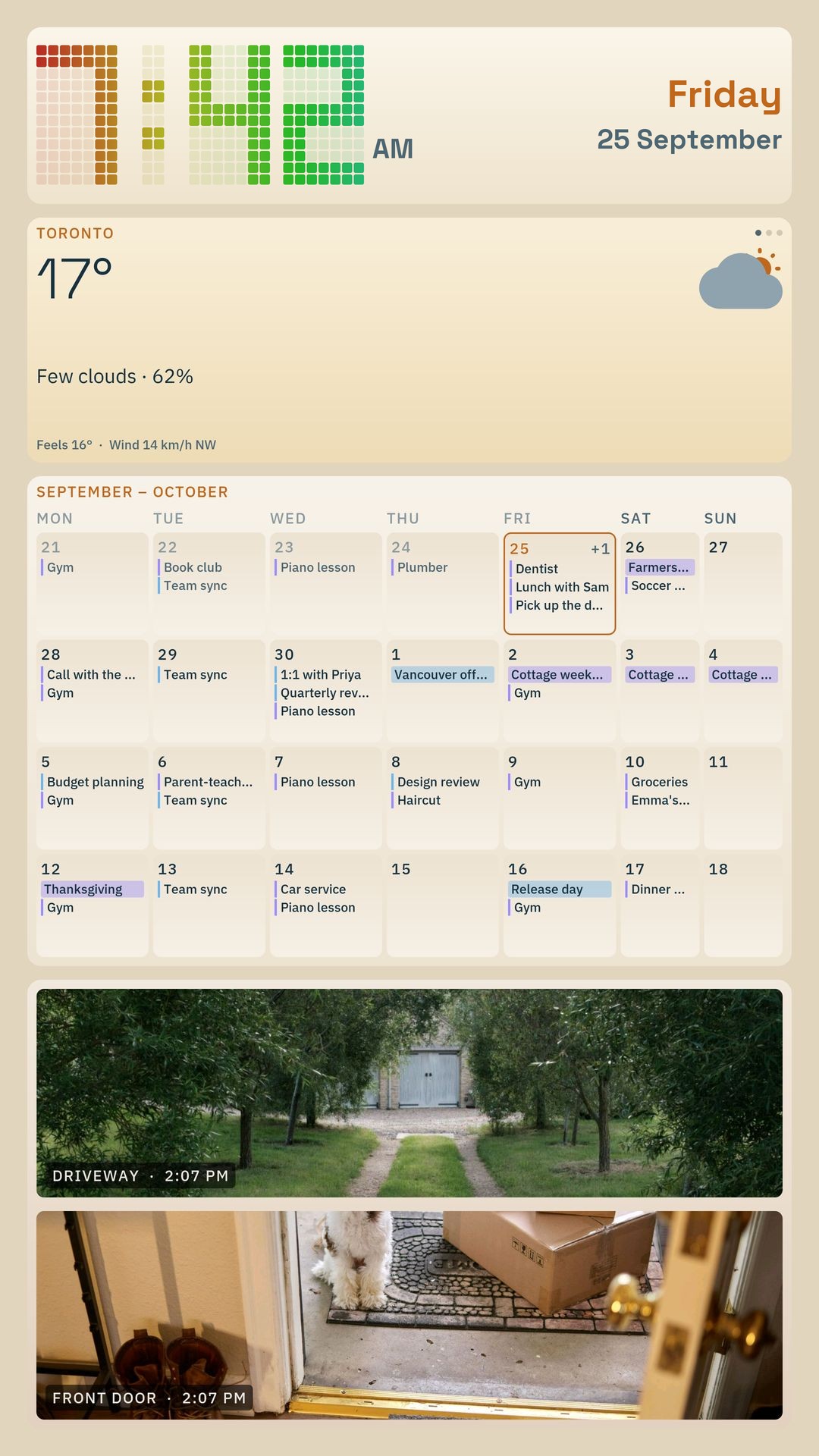
Camera snapshots on your board

Snapshot views for up to 4 cameras.

See pricing
A portrait home board with the clock, weather, a month calendar and two camera views, a driveway and a front door.

Pricing

The home dashboard is free. Cameras and Pro are monthly subscriptions.

Home

Free $0

Calendar, weather, news and more for the home.

  • Calendar and upcoming events
  • Weather, news and quotes
  • Event countdowns
  • Device status widgets
  • Customizable dashboard layout
Get started free
Security cameras

Cameras $1.99 / month

Snapshot views for up to 4 cameras.

  • Everything in Free
  • Supported security camera views
  • Live video alerts for AI motion detection on supported cameras.
About Cameras
Power users & business

Pro $2.99 / month

Branding and live data for business screens.

  • Everything in Free
  • Custom business logos and branding
  • API-powered graphs and gauges
  • REST API, GraphQL and InfluxDB data
About Pro

Privacy

QRK Board doesn't collect user data. There is no account, sign-in or analytics, and your settings stay on your device.

Read the privacy page

FAQ

What devices can run QRK Board?+

QRK Board is designed for Android TV, Google TV, Amazon Fire TV and Android tablets.

Is QRK Board free?+

The everyday home dashboard features are free. Cameras (camera views and alerts) and Pro (custom branding and API-powered metrics) are separate monthly subscriptions.

Do I need to know how to code?+

No. You can arrange dashboard tiles with the drag-and-drop layout editor. Connecting custom data sources may require API details and some technical knowledge.

Which cameras and data sources are supported?+

Cameras shows snapshot views for up to 4 supported cameras, with live video alerts for AI motion detection on supported cameras. Pro adds metrics from REST APIs, GraphQL and InfluxDB. Compatibility depends on the camera, endpoint and configuration.

Does QRK Board collect personal data?+

No. QRK Board has no account, sign-in or analytics, and nothing you set up is sent to us. Your settings stay on your device, and the board connects directly to the services behind the tiles you use. The details are in the privacy policy.